Showing posts with label Hacking. Show all posts

Friday, 18 December 2015

Download Metasploit: The Penetration Tester's Guide 1st Edition Ebook

Metasploit: The Penetration Tester's Guide 1st Edition Ebook(6.9 MB only) 


Description:


    "The best guide to the Metasploit Framework."—HD Moore, Founder of the Metasploit Project

The Metasploit Framework makes discovering, exploiting, and sharing vulnerabilities quick and relatively painless. But while Metasploit is used by security professionals everywhere, the tool can be hard to grasp for first-time users. Metasploit: The Penetration Tester's Guide fills this gap by teaching you how to harness the Framework and interact with the vibrant community of Metasploit contributors.

Once you've built your foundation for penetration testing, you'll learn the Framework's conventions, interfaces, and module system as you launch simulated attacks. You'll move on to advanced penetration testing techniques, including network reconnaissance and enumeration, client-side attacks, wireless attacks, and targeted social-engineering attacks.

Learn how to:

    Find and exploit unmaintained, misconfigured, and unpatched systems
    Perform reconnaissance and find valuable information about your target
    Bypass anti-virus technologies and circumvent security controls
    Integrate Nmap, NeXpose, and Nessus with Metasploit to automate discovery
    Use the Meterpreter shell to launch further attacks from inside the network
    Harness standalone Metasploit utilities, third-party tools, and plug-ins
    Learn how to write your own Meterpreter post exploitation modules and scripts

You'll even touch on exploit discovery for zero-day research, write a fuzzer, port existing exploits into the Framework, and learn how to cover your tracks. Whether your goal is to secure your own networks or to put someone else's to the test, Metasploit: The Penetration Tester's Guide will take you there and beyond.

Download From Here(mediafire.com)

-- A Black Hack: post

Monday, 7 December 2015

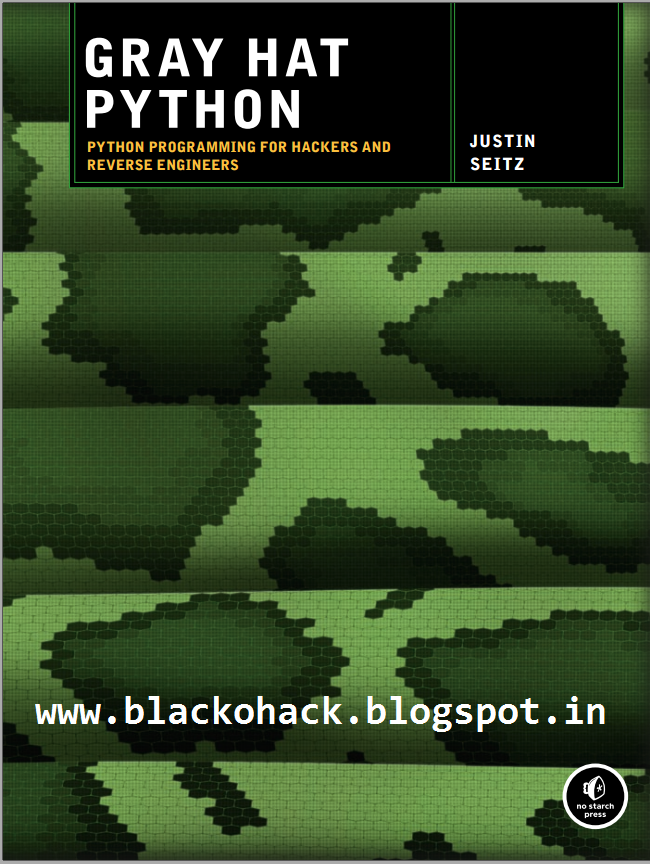
GRAY HAT PYTHON by Justin Seitz

Download GRAY HAT PYTHON by Justin Seitz -(2.55 MB only)
Python Programming for Hackers and Reverse Engineers


BRIEF CONTENTS
Chapter 1: Setting Up Your Development Environment.
Chapter 2: Debuggers and Debugger Design. 
Chapter 3: Building a Windows Debugger. 
Chapter 4: PyDbg—A Pure Python Windows Debugger.
Chapter 5: Immunity Debugger—The Best of Both Worlds.
Chapter 6: Hooking.
Chapter 7: DLL and Code Injection.
Chapter 8: Fuzzing.
Chapter 9: Sulley.
Chapter 10: Fuzzing Windows Drivers.
Chapter 11: IDAPython—Scripting IDA Pro.
Chapter 12: PyEmu—The Scriptable Emulator.

Download from Here

-- A Black Hack: Post

Monday, 9 November 2015

What is a MAC Address?

How do I find a MAC address of network device?

MAC, Media Access Control, address is a globally unique identifier assigned to network devices, and therefore it is often referred to as hardware or physical address. MAC addresses are 6byte (48bits) in length, and are written in MM:MM:MM:SS:SS:SS format. The first 3bytes are ID number of the manufacturer, which is assigned by an Internet standards body. The second 3bytes are serial number assigned by the manufacturer.
MAC layer represents layer 2 of the TCP/IP (adopted from OSI Reference Model), where IP represents layer 3. MAC address can be thought of as supporting hardware implementation whereas IP address supports software . MAC addresses are permanently burned into hardware by hardware manufacturer, but IP addresses are assigned to the network devices by a network administrator. DHCP relies on MAC address to assign IP addresses to network devices.

How do I find a MAC address of network device?

Operating Systems support various commandline and GUI utilities to allow users to find MAC address of the system. On Unix variants including Solaris and Linux support "ifconfig a", "ip link list" or "ip address show" command that displays MAC address of the network device among other useful information. Windows including NT, 2000, XP and 2003 support "ipconfig /all" command that displays MAC address. On a MacOS, one can find MAC address by opening "System Preferences", then selecting "Network".

Full forms: Computer related terms

* HTTP - Hyper Text Transfer Protocol.
* HTTPS - Hyper Text Transfer Protocol Secure.
* IP - Internet Protocol.
* URL - Uniform Resource Locator.
* USB - Universal Serial Bus.
* VIRUS - Vital Information Resource Under Seized.
* 3G - 3rd Generation.
* GSM - Global System for Mobile Communication.
* CDMA - Code Divison Multiple Access.
* UMTS - Universal Mobile Telecommunication System.
* SIM - Subscriber Identity Module.
* AVI = Audio Video Interleave
* RTS = Real Time Streaming
* SIS = Symbian OS Installer File
* AMR = Adaptive Multi-Rate Codec
* JAD = Java Application Descriptor
* JAR = Java Archive
* JAD = Java Application Descriptor
* 3GPP = 3rd Generation Partnership Project
* 3GP = 3rd Generation Project
* MP3 = MPEG player lll
* MP4 = MPEG-4 video file
* AAC = Advanced Audio Coding
* GIF = Graphic Interchangeable Format
* JPEG = Joint Photographic Expert Group
* BMP = Bitmap
* SWF = Shock Wave Flash
* WMV = Windows Media Video
* WMA = Windows Media Audio
* WAV = Waveform Audio
* PNG = Portable Network Graphics
* DOC = Document (Microsoft Corporation)
* PDF = Portable Document Format
* M3G = Mobile 3D Graphics
* M4A = MPEG-4 Audio File
* NTH = Nokia Theme (series 40)
* THM = Themes (Sony Ericsson)
* MMF = Synthetic Music Mobile Application File
* NRT = Nokia Ringtone
* XMF = Extensible Music File
* WBMP = Wireless Bitmap Image
* DVX = DivX Video
* HTML = Hyper Text Markup Language
* WML = Wireless Markup Language
* CD - Compact Disk.
* DVD - Digital Versatile Disk.
* CRT - Cathode Ray Tube.
* DAT - Digital Audio Tape.
* DOS - Disk Operating System.
* GUI - Graphical User Interface.
* HTTP - Hyper Text Transfer Protocol.
* IP - Internet Protocol.
* ISP - Internet Service Provider.
* TCP - Transmission Control Protocol.
* UPS - Uninterruptible Power Supply.
* HSDPA - High Speed Downlink Packet Access.
* EDGE - Enhanced Data Rate for GSM [Global System for Mobile          
* VHF - Very High Frequency.
* UHF - Ultra High Frequency.
* GPRS - General Packet Radio Service.
* WAP - Wireless Application Protocol.
* TCP - Transmission Control Protocol .
* ARPANET - Advanced Research Project Agency Network.
* IBM - International Business Machines.
* HP - Hewlett Packard.
* AM/FM - Amplitude/ Frequency Modulation.
* WLAN - Wireless Local Area Network

Saturday, 17 October 2015

Download: Kali Linux Operating System Highly Compressed In 53 MB

<<<<<<<<<<<<<<<Highly Compressed>>>>>>>>>>>>>>

About Kali Linux:

Kali Linux is a Debian-derived Linux distribution designed for digital forensics and penetration testing. It is maintained and funded by Offensive Security Ltd. Mati Aharoni, Devon Kearns and Raphaƫl Hertzog are the core developers.


Features

Kali Linux has a dedicated project set-aside for compatibility and porting to specific Android devices, called Kali Linux NetHunter.

It is the first Open Source Android penetration testing platform for Nexus devices, created as a joint effort between the Kali community member “BinkyBear” and Offensive Security. It supports Wireless 802.11 frame injection, one-click MANA Evil Access Point setups, HID keyboard (Teensy like attacks), as well as Bad USB MITM attacks.

BackTrack (Kali's predecessor) contained a mode known as forensic mode. This capability was carried over to Kali via live boot. This mode is very popular for many reasons such as many Kali users already have a bootable Kali USB drive or CD, and this option makes it easy to apply Kali to a forensic job. There are however some changes to forensic mode over the regular operation of the system, such as forensic mode doesn't touch the hard drive or swap space and auto mounting is disabled. However, it is recommended by the developers that if Kali is going to be used for real world forensics that these things be tested in that environment.

[OS] Kali Linux:>>32-Bit>>
Highly compressed>>53.3 MB only>>
Free download>>

Direct Link: Download Here


Download>>Install>>Start hacking>>
===========================
Share It And Spread This Post:>>
===========================

Monday, 14 September 2015

Basic Networking Terms and Protocols every hacker must know

An Introduction to Networking Terminology, Interfaces, and Protocols

A basic understanding of networking is important for anyone managing a server. Not only is it essential for getting your services online and running smoothly, it also gives you the insight to diagnose problems.
This document will provide a basic overview of some common networking concepts. We will discuss basic terminology, common protocols, and the responsibilities and characteristics of the different layers of networking.
This guide is operating system agnostic, but should be very helpful when implementing features and services that utilize networking on your server.

Networking Glossary

Before we begin discussing networking with any depth, we must define some common terms that you will see throughout this guide, and in other guides and documentation regarding networking.
These terms will be expanded upon in the appropriate sections that follow:

•Connection: In networking, a connection refers to pieces of related information that are transfered through a network. This generally infers that a connection is built before the data transfer (by following the procedures laid out in a protocol) and then is deconstructed at the at the end of the data transfer.

•Packet: A packet is, generally speaking, the most basic unit that is transfered over a network. When communicating over a network, packets are the envelopes that carry your data (in pieces) from one end point to the other.
Packets have a header portion that contains information about the packet including the source and destination, timestamps, network hops, etc. The main portion of a packet contains the actual data being transfered. It is sometimes called the body or the payload.

•Network Interface: A network interface can refer to any kind of software interface to networking hardware. For instance, if you have two network cards in your computer, you can control and configure each network interface associated with them individually.

A network interface may be associated with a physical device, or it may be a representation of a virtual interface. The "loopback" device, which is a virtual interface to the local machine, is an example of this.

•LAN: LAN stands for "local area network". It refers to a network or a portion of a network that is not publicly accessible to the greater internet. A home or office network is an example of a LAN.

•WAN: WAN stands for "wide area network". It means a network that is much more extensive than a LAN. While WAN is the relevant term to use to describe large, dispersed networks in general, it is usually meant to mean the internet, as a whole.
If an interface is said to be connected to the WAN, it is generally assumed that it is reachable through the internet.

•Protocol: A protocol is a set of rules and standards that basically define a language that devices can use to communicate. There are a great number of protocols in use extensively in networking, and they are often implemented in different layers.
Some low level protocols are TCP, UDP, IP, and ICMP. Some familiar examples of application layer protocols, built on these lower protocols, are HTTP (for accessing web content), SSH, TLS/SSL, and FTP.

•Port: A port is an address on a single machine that can be tied to a specific piece of software. It is not a physical interface or location, but it allows your server to be able to communicate using more than one application.

•Firewall: A firewall is a program that decides whether traffic coming into a server or going out should be allowed. A firewall usually works by creating rules for which type of traffic is acceptable on which ports. Generally, firewalls block ports that are not used by a specific application on a server.

•NAT: NAT stands for network address translation. It is a way to translate requests that are incoming into a routing server to the relevant devices or servers that it knows about in the LAN. This is usually implemented in physical LANs as a way to route requests through one IP address to the necessary backend servers.

•VPN: VPN stands for virtual private network. It is a means of connecting separate LANs through the internet, while maintaining privacy. This is used as a means of connecting remote systems as if they were on a local network, often for security reasons.
There are many other terms that you may come across, and this list cannot afford to be exhaustive. We will explain other terms as we need them. At this point, you should understand some basic, high-level concepts that will enable us to better discuss the topics to come.

Network Layers

While networking is often discussed in terms of topology in a horizontal way, between hosts, its implementation is layered in a vertical fashion throughout a computer or network.

What this means is that there are multiple technologies and protocols that are built on top of each other in order for communication to function more easily. Each successive, higher layer abstracts the raw data a little bit more, and makes it simpler to use for applications and users.
It also allows you to leverage lower layers in new ways without having to invest the time and energy to develop the protocols and applications that handle those types of traffic.

The language that we use to talk about each of the layering scheme varies significantly depending on which model you use. Regardless of the model used to discuss the layers, the path of data is the same.

As data is sent out of one machine, it begins at the top of the stack and filters downwards. At the lowest level, actual transmission to another machine takes place. At this point, the data travels back up through the layers of the other computer.
Each layer has the ability to add its own "wrapper" around the data that it receives from the adjacent layer, which will help the layers that come after decide what to do with the data when it is passed off.

OSI Model

Historically, one method of talking about the different layers of network communication is the OSI model. OSI stands for Open Systems Interconnect.

This model defines seven separate layers. The layers in this model are:

•Application: The application layer is the layer that the users and user-applications most often interact with. Network communication is discussed in terms of availability of resources, partners to communicate with, and data synchronization.

•Presentation: The presentation layer is responsible for mapping resources and creating context. It is used to translate lower level networking data into data that applications expect to see.

•Session: The session layer is a connection handler. It creates, maintains, and destroys connections between nodes in a persistent way.

•Transport: The transport layer is responsible for handing the layers above it a reliable connection. In this context, reliable refers to the ability to verify that a piece of data was received intact at the other end of the connection.
This layer can resend information that has been dropped or corrupted and can acknowledge the receipt of data to remote computers.

•Network: The network layer is used to route data between different nodes on the network. It uses addresses to be able to tell which computer to send information to. This layer can also break apart larger messages into smaller chunks to be reassembled on the opposite end.

•Data Link: This layer is implemented as a method of establishing and maintaining reliable links between different nodes or devices on a network using existing physical connections.

•Physical: The physical layer is responsible for handling the actual physical devices that are used to make a connection. This layer involves the bare software that manages physical connections as well as the hardware itself (like Ethernet).
As you can see, there are many different layers that can be discussed based on their proximity to bare hardware and the functionality that they provide.

TCP/IP Model

The TCP/IP model, more commonly known as the Internet protocol suite, is another layering model that is simpler and has been widely adopted. It defines the four separate layers, some of which overlap with the OSI model:

•Application: In this model, the application layer is responsible for creating and transmitting user data between applications. The applications can be on remote systems, and should appear to operate as if locally to the end user.
The communication is said to take place between peers.

•Transport: The transport layer is responsible for communication between processes. This level of networking utilizes ports to address different services. It can build up unreliable or reliable connections depending on the type of protocol used.

•Internet: The internet layer is used to transport data from node to node in a network. This layer is aware of the endpoints of the connections, but does not worry about the actual connection needed to get from one place to another. IP addresses are defined in this layer as a way of reaching remote systems in an addressable manner.

•Link: The link layer implements the actual topology of the local network that allows the internet layer to present an addressable interface. It establishes connections between neighboring nodes to send data.

As you can see, the TCP/IP model, is a bit more abstract and fluid. This made it easier to implement and allowed it to become the dominant way that networking layers are categorized.

Interfaces

Interfaces are networking communication points for your computer. Each interface is associated with a physical or virtual networking device.
Typically, your server will have one configurable network interface for each Ethernet or wireless internet card you have.
In addition, it will define a virtual network interface called the "loopback" or localhost interface. This is used as an interface to connect applications and processes on a single computer to other applications and processes. You can see this referenced as the "lo" interface in many tools.

Many times, administrators configure one interface to service traffic to the internet and another interface for a LAN or private network.
In DigitalOcean, in datacenters with private networking enabled, your VPS will have two networking interfaces (in addition to the local interface). The "eth0" interface will be configured to handle traffic from the internet, while the "eth1" interface will operate to communicate with the private network.

Protocols

Networking works by piggybacking a number of different protocols on top of each other. In this way, one piece of data can be transmitted using multiple protocols encapsulated within one another.

We will talk about some of the more common protocols that you may come across and attempt to explain the difference, as well as give context as to what part of the process they are involved with.

We will start with protocols implemented on the lower networking layers and work our way up to protocols with higher abstraction.

Media Access Control

Media access control is a communications protocol that is used to distinguish specific devices. Each device is supposed to get a unique MAC address during the manufacturing process that differentiates it from every other device on the internet.

Addressing hardware by the MAC address allows you to reference a device by a unique value even when the software on top may change the name for that specific device during operation.

Media access control is one of the only protocols from the link layer that you are likely to interact with on a regular basis.

IP

The IP protocol is one of the fundamental protocols that allow the internet to work. IP addresses are unique on each network and they allow machines to address each other across a network. It is implemented on the internet layer in the IP/TCP model.
Networks can be linked together, but traffic must be routed when crossing network boundaries. This protocol assumes an unreliable network and multiple paths to the same destination that it can dynamically change between.
There are a number of different implementations of the protocol. The most common implementation today is IPv4, although IPv6 is growing in popularity as an alternative due to the scarcity of IPv4 addresses available and improvements in the protocols capabilities.

ICMP

ICMP stands for internet control message protocol. It is used to send messages between devices to indicate the availability or error conditions. These packets are used in a variety of network diagnostic tools, such as ping and traceroute.
Usually ICMP packets are transmitted when a packet of a different kind meets some kind of a problem. Basically, they are used as a feedback mechanism for network communications.

TCP

TCP stands for transmission control protocol. It is implemented in the transport layer of the IP/TCP model and is used to establish reliable connections.

TCP is one of the protocols that encapsulates data into packets. It then transfers these to the remote end of the connection using the methods available on the lower layers. On the other end, it can check for errors, request certain pieces to be resent, and reassemble the information into one logical piece to send to the application layer.

The protocol builds up a connection prior to data transfer using a system called a three-way handshake. This is a way for the two ends of the communication to acknowledge the request and agree upon a method of ensuring data reliability.

After the data has been sent, the connection is torn down using a similar four-way handshake.

TCP is the protocol of choice for many of the most popular uses for the internet, including WWW, FTP, SSH, and email. It is safe to say that the internet we know today would not be here without TCP.

UDP

UDP stands for user datagram protocol. It is a popular companion protocol to TCP and is also implemented in the transport layer.
The fundamental difference between UDP and TCP is that UDP offers unreliable data transfer. It does not verify that data has been received on the other end of the connection. This might sound like a bad thing, and for many purposes, it is. However, it is also extremely important for some functions.

Because it is not required to wait for confirmation that the data was received and forced to resend data, UDP is much faster than TCP. It does not establish a connection with the remote host, it simply fires off the data to that host and doesn't care if it is accepted or not.

Because it is a simple transaction, it is useful for simple communications like querying for network resources. It also doesn't maintain a state, which makes it great for transmitting data from one machine to many real-time clients. This makes it ideal for VOIP, games, and other applications that cannot afford delays.

HTTP

HTTP stands for hypertext transfer protocol. It is a protocol defined in the application layer that forms the basis for communication on the web.
HTTP defines a number of functions that tell the remote system what you are requesting. For instance, GET, POST, and DELETE all interact with the requested data in a different way.

FTP

FTP stands for file transfer protocol. It is also in the application layer and provides a way of transferring complete files from one host to another.

It is inherently insecure, so it is not recommended for any externally facing network unless it is implemented as a public, download-only resource.

DNS

DNS stands for domain name system. It is an application layer protocol used to provide a human-friendly naming mechanism for internet resources. It is what ties a domain name to an IP address and allows you to access sites by name in your browser.

SSH

SSH stands for secure shell. It is an encrypted protocol implemented in the application layer that can be used to communicate with a remote server in a secure way. Many additional technologies are built around this protocol because of its end-to-end encryption and ubiquity.
There are many other protocols that we haven't covered that are equally important. However, this should give you a good overview of some of the fundamental technologies that make the internet and networking possible.

Conclusion

At this point, you should be familiar with some basic networking terminology and be able to understand how different components are able to communicate with each other. This should assist you in understanding other articles and the documentation of your system.

-- A Black Hack: Post

Very Useful Run Commands In Windows

Here i bring some new and very usefull windows run commands>>

1. Open RUN(Win+R)
2. Enter any command from list below.

In this article a complete list of Run Commands in Windows 7 and 8 . These commands allows to quickly access features and applications to customize operative system environment.

These run commands are available for almost all settings available in Windows control panel.

Note : most part of these commands are compatible with Windows 7, Vista e Windows XP.

As someone has kindly reported, some commands are not compatible between different versions. Please check the commands and use the correct ones for your version of the operating system. Technical feedbacks are always appreciated, please send me any info that it helpful to improve this article.

List of Useful Run Commands in Windows

To Access… Run Command
Accessibility Controls access.cpl
Accessibility Wizard accwiz
Add Hardware Wizard hdwwiz.cpl
Add/Remove Programs appwiz.cpl
Administrative Tools control admintools
Adobe Acrobat (if installed) acrobat
Adobe Designer (if installed) formdesigner
Adobe Distiller (if installed) acrodist
Adobe ImageReady (if installed) imageready
Adobe Photoshop (if installed) photoshop
Automatic Updates wuaucpl.cpl
Bluetooth Transfer Wizard fsquirt
Calculator calc
Certificate Manager certmgr.msc
Character Map charmap
Check Disk Utility chkdsk
Clipboard Viewer clipbrd
Command Prompt cmd
Component Services dcomcnfg
Computer Management compmgmt.msc
Control Panel control
Date and Time Properties timedate.cpl
DDE Shares ddeshare
Device Manager devmgmt.msc
Direct X Control Panel (if installed)* directx.cpl
Direct X Troubleshooter dxdiag
Disk Cleanup Utility cleanmgr
Disk Defragment dfrg.msc
Disk Management diskmgmt.msc
Disk Partition Manager diskpart
Display Properties control desktop
Display Properties desk.cpl
Display Properties (w/Appearance Tab Preselected) control color
Dr. Watson System Troubleshooting Utility drwtsn32
Driver Verifier Utility verifier
Event Viewer eventvwr.msc
Files and Settings Transfer Tool migwiz
File Signature Verification Tool sigverif
Findfast findfast.cpl
Firefox (if installed) firefox
Folders Properties folders
Fonts control fonts
Fonts Folder fonts
Free Cell Card Game freecell
Game Controllers joy.cpl
Group Policy Editor (XP Prof) gpedit.msc
Hearts Card Game mshearts
Help and Support helpctr
HyperTerminal hypertrm
Iexpress Wizard iexpress
Indexing Service ciadv.msc
Internet Connection Wizard icwconn1
Internet Explorer iexplore
Internet Properties inetcpl.cpl
Internet Setup Wizard inetwiz
IP Configuration (Display Connection Configuration) ipconfig /all
IP Configuration (Display DNS Cache Contents) ipconfig /displaydns
IP Configuration (Delete DNS Cache Contents) ipconfig /flushdns
IP Configuration (Release All Connections) ipconfig /release
IP Configuration (Renew All Connections) ipconfig /renew
IP Configuration (Refreshes DHCP & Re-Registers DNS) ipconfig /registerdns
IP Configuration (Display DHCP Class ID) ipconfig /showclassid
IP Configuration (Modifies DHCP Class ID) ipconfig /setclassid
Java Control Panel (if installed) jpicpl32.cpl
Java Control Panel (if installed) javaws
Keyboard Properties control keyboard
Local Security Settings secpol.msc
Local Users and Groups lusrmgr.msc
Logs You Out Of Windows logoff
Malicious Software Removal Tool mrt
Microsoft Access (if installed) msaccess
Microsoft Chat winchat
Microsoft Excel (if installed) excel
Microsoft Frontpage (if installed) frontpg
Microsoft Movie Maker moviemk
Microsoft Paint mspaint
Microsoft Powerpoint (if installed) powerpnt
Microsoft Word (if installed) winword
Microsoft Syncronization Tool mobsync
Minesweeper Game winmine
Mouse Properties control mouse
Mouse Properties main.cpl
Nero (if installed) nero
Netmeeting conf
Network Connections control netconnections
Network Connections ncpa.cpl
Network Setup Wizard netsetup.cpl
Notepad notepad
Nview Desktop Manager (if installed) nvtuicpl.cpl
Object Packager packager
ODBC Data Source Administrator odbccp32.cpl
On Screen Keyboard osk
Opens AC3 Filter (if installed) ac3filter.cpl
Outlook Express msimn
Paint pbrush
Password Properties password.cpl
Performance Monitor perfmon.msc
Performance Monitor perfmon
Phone and Modem Options telephon.cpl
Phone Dialer dialer
Pinball Game pinball
Power Configuration powercfg.cpl
Printers and Faxes control printers
Printers Folder printers
Private Character Editor eudcedit
Quicktime (If Installed) QuickTime.cpl
Quicktime Player (if installed) quicktimeplayer
Real Player (if installed) realplay
Regional Settings intl.cpl
Registry Editor regedit
Registry Editor regedit32
Remote Access Phonebook rasphone
Remote Desktop mstsc
Removable Storage ntmsmgr.msc
Removable Storage Operator Requests ntmsoprq.msc
Resultant Set of Policy (XP Prof) rsop.msc
Scanners and Cameras sticpl.cpl
Scheduled Tasks control schedtasks
Security Center wscui.cpl
Services services.msc
Shared Folders fsmgmt.msc
Shuts Down Windows shutdown
Sounds and Audio mmsys.cpl
Spider Solitare Card Game spider
SQL Client Configuration cliconfg
System Configuration Editor sysedit
System Configuration Utility msconfig
System File Checker Utility (Scan Immediately) sfc /scannow
System File Checker Utility (Scan Once At The Next Boot) sfc /scanonce
System File Checker Utility (Scan On Every Boot) sfc /scanboot
System File Checker Utility (Return Scan Setting To Default) sfc /revert
System File Checker Utility (Purge File Cache) sfc /purgecache
System File Checker Utility (Sets Cache Size to size x) sfc /cachesize=x
System Information msinfo32
System Properties sysdm.cpl
Task Manager taskmgr
TCP Tester tcptest
Telnet Client telnet
Tweak UI (if installed) tweakui
User Account Management nusrmgr.cpl
Utility Manager utilman
Windows Address Book wab
Windows Address Book Import Utility wabmig
Windows Backup Utility (if installed) ntbackup
Windows Explorer explorer
Windows Firewall firewall.cpl
Windows Magnifier magnify
Windows Management Infrastructure wmimgmt.msc
Windows Media Player wmplayer
Windows Messenger msmsgs
Windows Picture Import Wizard (need camera connected) wiaacmgr
Windows System Security Tool syskey
Windows Update Launches wupdmgr
Windows Version (to show which version of windows) winver
Windows XP Tour Wizard tourstart
Wordpad write

-- A Black Hack: Post

Monday, 7 September 2015

Download and Run Kali Linux on Android and other Devices

Kali Linux for ARM Processor or we can say it for Android devices is great out by Offensive-

Security.com. The new Kali Linux for ARM processors is the hacker best Operating System races in your

smart phone, what you want more then this. There is also a list of custom made Kali Linux versions like:

Raspberry Pi
Odroid
Cubox
Beaglebones
Chromebooks
and more coming soon but the great thing is the power of Kali Linux in your hands.
.
The Download for ARM version is here.
Kali Linux for ARM and Intel versions

The Download for Custom ARM and VMWare is here.
Kali Linux for custom ARM and VMWare

Here is the list of some tools available in Kali Linux

dnsdict6
dnsenum
dnsmap
dnsrecon
dnsrevenum6
dnstracer
dnswalk
fierce
maltego
nmap
urlcrazy
arping
cdpsnarf
detect-new-ip-6
detect-sniffer6
dmitry
dnmap-client
dnmap-server
fping
hping3
inverse_lookup6
miranda
ncat
netdiscover
nmap
passive_discovery6
thcping6
wol-e
xprobe2
dnmap-client
dnmap-server
netdiscover
nmap
dnmap-client
dnmap-server
miranda
sslscan
sslyze
tlssled
p0f
tcpflow
wireshark
bbqsql
dbpwaudit
hexorbase
mdb-export
mdb-parsecsv mdb-sql
mdb-tables
oscanner
sidguesser
sqldict
sqlmap
sqlninja
sqlsus
uzz_ip6
ohrwurm
powerfuzzer
sfuzz
siparmyknife
pike-generic_chunked
spike-generic_listen_tcp
spike-generic_send_tcp
wpscan
cadaver
davtest
deblaze
fimap
grabber
joomscan
nikto
padbuster
proxystrike
skipfish
sqlmap
vega
w3af
wapiti
webscarab
webshag-cli
webshaggui
websploit
wpscan
xsser
zaproxy
chntpw
cmospwd
crunch
dictstat
hashcat
hash-identifier
john
johnny
lsadump
maskgen
oclhashcat-lite
oclhashcat-plus
ophcrack
ophcrack-cli
policygen
pwdump
pyrit
rainbowcrack
rcracki_mt
rsmangler
samdump2
sipcrack
sucrack
truecrack
aireplay-ng
airmon-ng
airodump-ng
asl;eap
cowpatty
eapmd5pass
fern-wifi-cracker
genkeys
genpmk
giskismet
kismet
mdk3
wifiarp
wifidns
wifi-honey
wifiping
wifitap
wifite 

BIG COLLECTION OF HACKING TOOLS PART-1 [HaCK-PaCK]

I made a collection of some of the hacking tools for you. This pack include following tools in it.

DDoser
Fake Programer
DFP_2.0
HC MSN chatlog stealer
Random tutorials
1337 v1.0
Binders
Commandline Gmailer
Downloader
Email Bomber
FF Pass Stealer
A+ Binders
AES Crypters
Alarm Clock
Antis
Background Worker and Progress bar
Batch virus generator -Source Only
Binder Example
Bomb them Email Bomber
Brute Forcers (need Work)
Builders 101
Chat Spammers
Check Internet
Computer Information
Cyber Spammers
Dark Downloader
Deface Page Generator
Droping a Resource
Easy screen Capture
Email sending
Email Smoker
Embedded Sound
Enable Disable Windows Firewall
Encrypt a text file with RC4
Error Creater
Fake ERror
File Clonner
Filler up 2.5


Download Here

PASSWORD: HACKERINSIDE

Friday, 4 September 2015

How to Hack Android Games – No Root Required

Most of the Android Games are very much addictive and tough to play. Sometimes you may get frustration, if you have unable to cross the level in a game. How will you feel if you are able to play any game by hacking the game by yourself? Yes, you can hack android games easily for unlimited score and points. You yourself can create a modded apk file with your own score and coins or something else. Also you can hack android games in such a way that removes annoying Google Ads. Is this happens in unrooted android devices ? Yes, what I mentioned above, works for unrooted Android devices also. Means you can hack android games with no root required. Let’s begin the small tricky hacking tutorial and get ready to learn to hack android games ( No Root Required for Devices ).

All we do is, we make use of an app which does all things with simple clicks. Lucky Patcher is the app which is used here to hack android games without rooting Android device/Mobile. Make sure, You have Lucky patcher app  installed on your Android device.


About Lucky Patcher App


What Lucky Patcher does is, Lucky Patcher is the application which bypasses in app purchases in an android game. In the sense, you no need to pay real money for buying coins and money in an android game. In this way, you can get coins for free in a game.

Here is a step by step tutorial, to hack android games ( NO ROOT ) using Lucky Patcher. Follow these steps carefully as mentioned.

Steps to Hack Android Games with No Root using Lucky Patcher


   1. First download and install Lucky Patcher on your Android Mobile/device.
   2. After installing open the application.
   3. You will find all available apps and games on your device.


   4.  Select the game which contains in app purchases. Click on the Game to get in app purchases for free.
   5. Tap on “Open menu of patches”.

    6. Select “Create modified APK file “


    7. Now finally tap on “APK rebuilded for InApp and LVL emulation.


    8. Wait for few seconds to complete the process and to rebuild the app.
    9.  Now uninstall the hacked game completely.
    10. Now open file manager and navigate to SD Card>Android>data>com.forpda.lp>files>lucky patcher>modified>required game.
    11. Find your modded game.
    12. Install and enjoy the game.

Note : This trick may not work for some games, but works for many top games like hill climb racing, temple run, subway surfers and some other games.


-- A Black Hack: post


24 Great E-Books On Ethical Hacking (Download Free)

Are you an aspiring hacker who wants to get as much info on hacking from online free ebooks as possible but doesn’t know where to get them? We bring you a list of 24 great e-books on hacking with  links for their free downloads. Happy reading!


1. Black Book of Viruses and Hacking : In print for over five years, the book opens a door to answering questions on whether or not it is better to make technical information about computer viruses known or not.

2. The Beginner’s Guide To Hacking Computers Systems : This is a great book for guiding beginners through the basic and advanced steps of hacking. It helps develop user knowledge on various types of  hacking including windows, Linux installation & use, Linux hacking, virus programming, malware programming and Trojan programming among other things.

3. Penentration Testing With Backtrack : The book has been written in Packt's Beginner's Guide format and helps the reader gain knowledge of concepts and understand the techniques to perform wireless attacks in your lab.

4. Hacker’s High School : This book is used by over a quarter of a million students every year and is a straightforward, inexpensive quick reference, with content flexible enough to suit the needs of writers in the humanities, social sciences, sciences, health professions, business, fine arts, education, and beyond.

5. Black Belt Hackers And Complete Hacking : The book addresses the fundamental question of what is ethical hacking in its most elementary form and is a great reference book for beginners.

6. Secrets Of Super And Professional Hackers : The book covers hacking scenarios ranging from the merely mischievous to the criminal, the super hacker known as the Knightmare gives step-by-step instructions in meaningful hacking from a personal computer.

7. Dangerous Google Hacking Database and Attacks: The book takes a look into several case studies on dangerous attacks that have been carried out in the past and how these could have been prevented.

8. Internet Advanced Denial of Service (DDOS) Attack : This book sheds light on the complex form of computer attack that impacts the confidentiality, integrity, and availability of millions of  computers worldwide.

9. Computer Hacking & Malware Attacks for Dummies: This is a book on preventive techniques and examines some great security measures which are present across the world. The great thing is that it has been updated to cover the latest hacks for Windows 7 and the newest version of Linux.

10. G-mail Advance Hacking Guides and Tutorials : Another great book on preventive techniques, the book is a lesson on how to secure Gmail, the world’s most used emailing service.

11. Vulnerability Exploit & website Hacking for Dummies : The book has some brilliant insights into Metasploit, and its commercial equivalent CORE IMPACT. It provides the ultimate ethical hacker's pot of gold — a screenshot of a critical server's command prompt.

12. Web App Hacking (Hackers Handbook): This is a highly successful book and now comes with great insights into web applications, which are now the front door to most organizations, exposing them to  attacks that may disclose personal information, execute fraudulent transactions, or compromise  ordinary users.

13. Security Crypting Networks and Hacking: Now in its second edition, the book offers 125 concise and practical hacks, including more information for Windows administrators, hacks for wireless networking.

14. Botnets: The Killer Web Application Hacking: The book is based on real world cases of botnet attacks to underscore the need for action and used public domain tools like OurMon.

15. Hacking Attacks and Examples Test: The book is a step by step on how-to drilldowns for installing and configuring your Tiger Box operating systems, installations, and configurations for some of the most popular auditing software suites.

16. Gray Hat Hacking and Complete Guide to Hacking: This is an insight into thwarting malicious network intrusion by using cutting-edge techniques for finding and fixing security flaws.

17. Advance Hacking Exposed Tutorials: This book works brilliantly for those looking to finding out about how a fail-safe system was cracked and how one can better protect oneself.

18. 501 Website Hacking Secrets: "This book concisely identifies the types of attacks which are faced daily by Web 2.0 sites, and the authors give solid, practical advice on how to identify and mitigate these threats." --Max Kelly, CISSP, CIPP, CFCE, Senior Director of Security, Facebook. One needn’t say more.

19. Internet Security Technology and Hacking: The book addresses questions on whether hacking attacks are morally justified? Hacking, Counterhacking, and Society is a valuable addition to the library of anyone concerned with the growing number of Internet security issues and intrusions facing society today.

20. CEH Certified Ethical Hacker Study Guide: The books lets you prepare for the challenging CEH Certified Ethical Hackers exam and provides a full coverage of exam topics, real-world examples, and includes a CD with chapter review questions, two full-length practice exams, electronic flashcards and a glossary of key terms.

21. Advanced SQL Injection Hacking and Guide: The book ensures that IT professionals apply security principles in the context of their daily job scope

22. Web Hacking & Penetration Testing: The books serves as an introduction to the steps required to
complete a penetration test or perform an ethical hack.

23. OWASP Hacking Tutorials and Web App Protection: The book gives detailing on the different tools for exploitation, about metasploit and armitage.

24. CEH - Hacking Database Secrets and Exploit: This book gets into the latest edition gets into current threats and details the new menace of APT (advanced persistent threats), embedded hacking, database hacking, and significant coverage of mobile devices.

-- A Black Hack: Post

Wednesday, 2 September 2015

How To Use Google As A Proxy

We often use schools and colleges internet connections, but they usually block access to undesired web sites (the "black list"). In order to access those sites you can do is use google translate as  proxy to bypass this restrictions. So lets get into it.


Method 1

1. Visit whatismyipaddress and note down you real Ip Address
2. Now Go to Google Translate
3. From Under Detect Language, Chose your language in my case English
4. Now type http://whatismyipaddress.com/  in text area and click on translate
5. Now check your Ip Address, Its different from the real one.

Method 2

1. Go to link given below:
http://www.google.com/translate?langpair=es|en&u=blackohack.blogspot.com
2. Change blackohack.blogspot.com to website you like to visit.
3. Done!

--A Black Hack: Post

Monday, 31 August 2015

How hack LAN in Cyber Cafe

Friends i am very much interested in hacking.
Well its soo easy trick to hack system.
I am providing you steps to hack others system:

1)Click on Start.
2)Go to all programs>accessories.
3)Right click on command promt and then click properties.
4)Click on Find target.
5)Now you entered in system 32.
6)Now search this file "ddeshare" without quotes.
7)Double click on Ddeshare.
8)Now go to shares and then click "trusted shares".
9)You will be seeing many terminals (computers)connected to lan.
10)Just double click on any of the system you want to hack.
This is you can hack others system which is connected to lan..
I dont know whether this tricks works in your college or not.
Why because few colleges will be using high security alerts.

Well i can successfully hack others system.
Hopefully i found few information about hacking lan.
First of all we have to hack system administration password.
This can be done only by braking (PDC)Primary domain controller.
PDC can be brake only when we are able to hack First system. And then take sam db to break administration password.
Better to use tool from your system that enables you to use IPC connections to send executable files.
Here i am giving you trick to hack admin password:

first of all you have to scan the range for open 139, 445,3389,6129..
139,145 -->ipc hacking...
3389 --->remote desktop connetion(Best way for hacking :) )
6129 ----->It means that there is ranning dameware server.......

We can also hack admin password by using telnet hacking.

This trick is good enough for cracking administration password...

--A Balck Hack: post

Thursday, 27 August 2015

Advance Metrix Effect Using Notepd

Copy and paste below code in notepad and save as blackhack.bat and run it>>
========================================================
@echo off
color 0A
:A
echo b r E w e 4 e T r 8 M e F r a c h a S t 3 D a C r a s p e s T e 4 h 2 w r e G 2
ping -w .9 >nul
echo R E 9 8 8 R a t r e g 6 n u m A b R E X e Y A T u C 7 a D R a c r u C e B E p e
ping -w .9 >nul
echo c E B E s A d R u B R 3 H e R u D 7 g u d U 7 T a b u T 5 e p E 2 a v e 6 8 a Z
ping -w .9 >nul
echo n u r A X a j a s t a 9 h a 6 e h e G a s u t r a t r A y a f E q u 8 u b R u d
ping -w .9 >nul
echo k u v e 4 E 6 3 e t r a d r e f e y e q e 6 U H e z U b r u R a s 2 4 3 r A N a
ping -w .9 >nul
echo v u P R a b R u c e d U s w a h a c r a t h U 7 r a h u t u h u V e 7 U k u S a
ping -w .9 >nul
echo T e D r e 8 A p r a d a b u f U c u c E h E t 7 c r 5 s P a f r e t h u t 9 u t
ping -w .9 >nul
echo b R u G e p a R e s a P H e P a 2 U d 4 P r e F A b a t h a t h U s w a d R U d
ping -w .9 >nul
echo v U Y a C R e T R 9 k u b e D r a T 6 u j e 5 2 4 e B a f 2 u b 5 w A p a y U Y
ping -w .9 >nul
echo b r E w e 4 e n r 8 M e F r a c h a S t 3 D a C r a s p e s T e 4 a 2 w r e G 2
ping -w .9 >nul
echo k u v e 4 E 6 3 e t r a d r e f e y e q e 6 U H e z U b r u R a s 2 4 3 r A N a
ping -w .9 >nul
echo v u P R a b s u c e d U s w a 3 a c r a t h U 7 r a k u t u h u V e 7 U k u S a
ping -w .9 >nul
echo n u r A X a j a s t a 9 h a 6 e h e G a s u t r a t r A y a f E q u 8 u b u u d
ping -w .9 >nul
goto A
==========================================================

--A Black Hack: post 

World's first pendrine - Memory Key

NAND flash memory was developed in the mid 80's by Toshiba, and USB flash drives were developed in the late 90's. There is still some dispute about who created the first version, but most credit M-Systems Company, which was eventually bought by Sandisk. The break-though was the ability to connect flash memory to a computer and it be a “virtual” storage drive without the need for drivers or special software.

 In the U.S., IBM sold the earliest 8 Mbyte version in 2001 under the product name Memory Key, and it quickly followed with a 16 Mbyte version. By 2003 IBM sold a 64 Mbyte version manufactured by M-Systems. Other versions from various manufacturers were soon available as well. By the time USB flash drives began to really catch on with computer users, the 128 Mbyte version was the most common.

-- A Black Hack: post

Wednesday, 26 August 2015

10 most notorious hacker groups to have ever touched a keyboard

Yes, a 'hacker' is a person who has extraordinary knowledge of computers and is skilled at exploiting weaknesses in computer networks. Yes, it is not the perfect definition, but the basic idea is, the 'term' hacker doesn't automatically mean criminal. While some are activists (hacktivists), others are ethical. Then there are those who do use their skills for criminal activities. In any case, one thing that is certain is that a hacker is a person who possesses extraordinary grasp over computers and deserves some respect for the same. When a few of them get together, well, that is indeed a scary proposition!

Here are the 10 most notorious hacker groups to have ever touched a keyboard.

1. Chaos Computer Club: This group made a name for itself by hacking the Bildschirmtext computer in Germany and taking 134,000 Deutsch Marks from a bank in Hamburg. They did this to prove that the security system was flawed and returned the money they took the next day. They also protested against the French nuclear testing using hacking, by exposing a Trojan horse spyware device being used by the Germany government. The group was formed on 12 September 1981 in Berlin.

2. Global kOS: Pronounced Global Chaos, this group created as much of it as they could, that too on a global scale. Their members included AcidAngel, Shadow Hunter, The Assassin etc. and the group has been credited with providing a number of automated hacker tools to the world. One of the most famous out of these tools was ‘Up Yours’, which was used to bring down the websites of 40 politicians, MTV and the Ku Klux Klan. There are also tools like kOS crack and BattlePong.

3. The Level Seven Crew: This hacker crew took its name from the seventh level of hell, as depicted in Dante’s Inferno. In this, the seventh level is ‘the violent’ level. In 1999, the first crew hacked into 60 high profile computer systems. These included names like NASA, Sheraton Hotels and The First American National Bank. They are believed to be the first group to have hacked into a Moroccan domain. The group was known for their hacktivism and disbanded in 2000.

4. globalHell: This group was co-founded by Patrick Gregory, a street-gang member from Houston, Texas. It has been said to be behind the destruction of data on 115 websites, information trafficking and millions of dollars worth of damages. Ironically, Gregory had turned towards computers to escape his gang life. Rather, he ended up creating a 60 member crew of hackers, who treated the internet like their streets and wreaked havoc.

Gregory’s crew has also been credited with online extortion and defacing the United States Army’s website when they wrote “global hell will not die”, on it. Interestingly, Chad Davis, another co-founder for the group, was arrested in 1999 and sent to prison for six months, along with a fine of $8,054, became an independent security consultant later.

5. TeaMp0isoN: This group was started in 2010 by a 16-year-old hacker with the alias TriCk. TeaMp0isoN was responsible for hacking into NATO, Facebook and the English Defense League. In addition, this group stole personal data from Tony Blair by hacking into his email account. They also attacked Research In Motion, the company that developed the BlackBerry, in 2011, by defacing their blog. They did this because the company planned to help the police during the England riots that year. The group wrote on the blog, “We are all for the rioters that are engaging in attacks on the police and government.”

6. Network Crack Program Hacker Group: NCPH was formed in China in 1994. It is led by Tan Dailin (screen name Wicked Rose), who is said to be working for the Chinese army. While the size of the crew is unknown, it is said to be consisting of 10 members, with Dailin and three others at the top.

The GinWui rootkit, created by Wicked Rose, was used in attacking the US Department of Defense in 2006. According to Wicked Rose, NCPH has a sponsor who pays them for their activities. This benefactor is believed to be the People’s Liberation Army.

7. LulzSec: With the motto, “Laughing at your security since 2011,” Lulzsec is credited with attacking Fox.com, an X-Factor database, Sony, FBI and CIA. The group has caused damages worth billions of dollars. The group exposed the contact information for 73,000 contestants when they hacked the X-factor database. Important members of LulzSec were arrested in 2012 by the FBI. They were turned in by the group’s leader Sabu. But LulzSec reappeared within three months, hacking a singles in military dating website, claiming that the crew has been ‘reborn’.

8. Masters of Deception: This group was formed in 1989 and played rival to Legion of Doom, a Texas-based hacker group. The two were bitter rivals, who always tried to stay ahead of each other. This later turned into an all out war with class and racial overtones being added to the fray.

The group carried out an attack, which has been called one of the most extensive thefts of computer information ever known. The top five members of the group were arrested by the Secret Service eventually and charged with computer tampering, computer and wire fraud, illegal wiretapping, and conspiracy. They all pleaded guilty.

9. Milw0rm: This hacktivist group was formed on 3 June 1998 and made the Bhabha Atomic Research Center in India their primary target. The group took 5 MB of classified files related to India’s last five nuclear tests and deleted data from two servers. It also posted anti-nuclear messages on the website. Milw0rd also hacked into the website of web hosting company EasySpace and posted an anti-nuclear message on 300 websites, including those of Wimbledon, FIFA World Cup, Drew Barrymore and the Saudi Royal Family.

10. Anonymous: Not much needs to be said about this group. It is perhaps the most famous and notorious of all hacker groups ever. The group has attacked the Pentagon, threated to take down Facebook and threatened Los Zetas, the Mexican drug cartel. In addition, it has also declared a war against Scientology. They go by the motto, “We are Anonymous. We are Legion. We do not forgive. We do not forget. Expect us.”

Like>> Comment>> Share It Loud>>
===========================
-- A Black Hack: Post
===========================